

How to Find the Model & Serial Number on Wacker Neuson, Atlas Copco, MultiQuip & Tsurumi Submersible Pumps

If you need replacement parts, equipment service, or technical support, one of the first pieces of information you’ll be asked for is your equipment’s model and serial number.
Most submersible pumps have an identification plate, sometimes called a nameplate or data plate, attached directly to the outer body or motor housing of the pump. This plate contains important information that helps identify the exact configuration of your equipment.
Below is a step-by-step guide to locating the model and serial number on several popular submersible pump models.
Table of Contents
- How to Find the Model & Serial Number on Wacker Neuson PS2 500
- How to Find the Model & Serial Number on Atlas Copco WEDA S08N
- How to Find the Model & Serial Number on MultiQuip ST41230
- How to Find the Model & Serial Number on Tsurumi HS Series Pumps
How to Find the Model & Serial Number on Wacker Neuson PS2 500
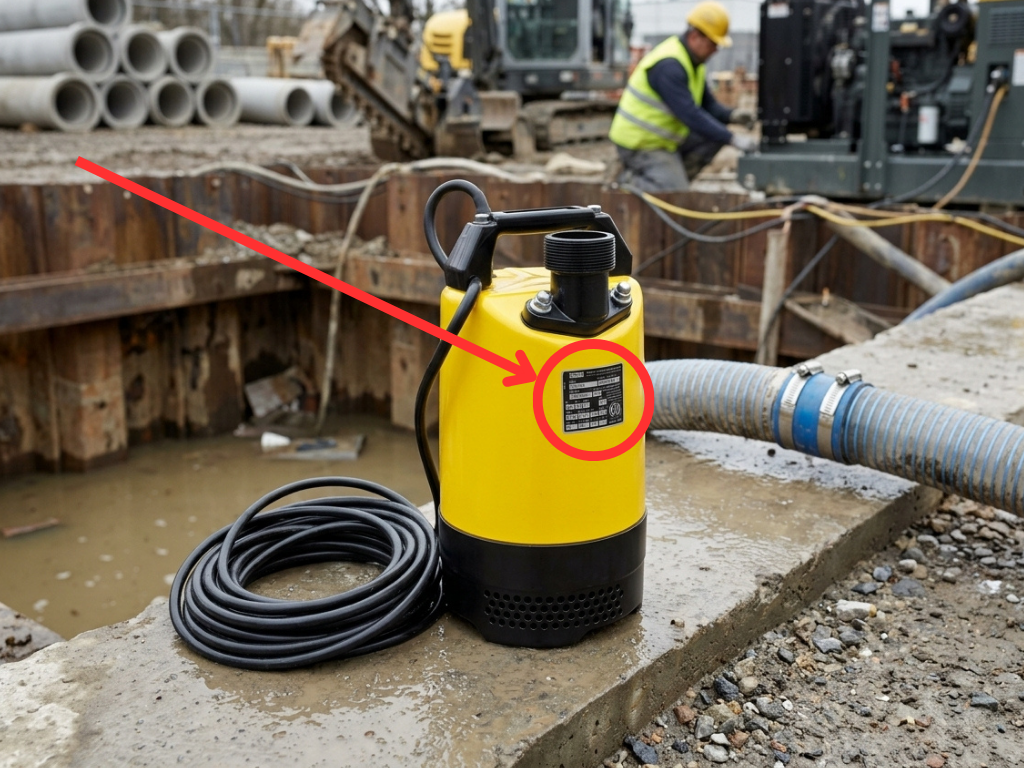
The identification plate on the Wacker Neuson PS2 500 submersible pump is attached directly to the outer body or motor housing of the pump.
Step 1
Place your Wacker Neuson PS2 500 pump in an upright position and inspect the outer metal casing or motor housing.
Step 2
Look around the exterior body of the pump for the metal identification nameplate, typically located in an area where the machine specifications and safety information are displayed.
Step 3
Clean away any dirt, grease, or jobsite grime if the identification plate is difficult to read.
Step 4

The identification plate typically contains:
- Model: PS2 500
- Serial Number
- Item Number
- Revision or Version Number
- Manufacturing Year
The serial number and revision information are important when ordering replacement parts, as some components may vary depending on the specific machine version or serial number range.
How to Find the Model & Serial Number on Atlas Copco WEDA S08N

The identification plate on the Atlas Copco WEDA S08N submersible pump is attached directly to the outer body or motor housing of the pump.
Step 1
Place your Atlas Copco WEDA S08N pump in an upright position and inspect the top-facing area near the handle.
Step 2
Look around that top-facing area (near the handle) for a silver or metallic data plate riveted or attached directly to the pump.
Step 3
Locate the identification plate and inspect the information stamped or printed on the surface. On newer units, the plate may also include a scannable QR code.
Step 4
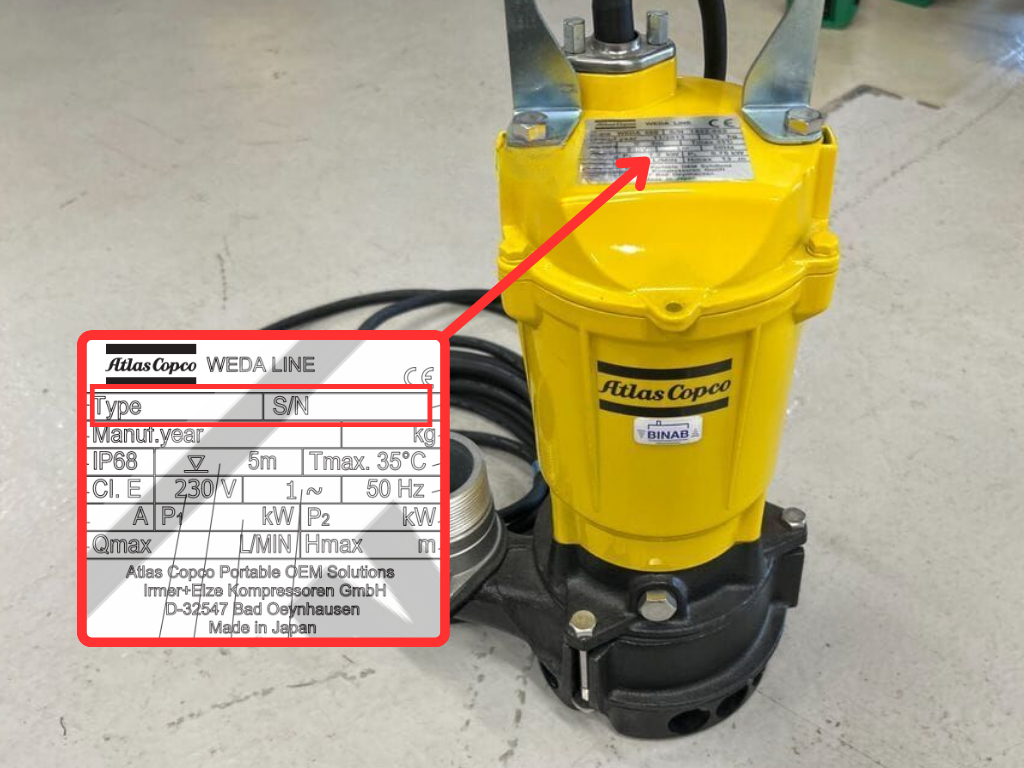
The identification plate typically contains:
- Pump Type (WEDA S08N)
- Serial Number
- Technical Specifications
- Electrical Information
- Manufacturing Year
- Total Weight in kg
Providing the model and serial number helps ensure the correct replacement parts and service information are identified for your pump.
How to Find the Model & Serial Number on MultiQuip ST41230

The identification plate on the MultiQuip ST41230 submersible pump is attached directly to the outer stainless steel body or housing of the pump.
Step 1
Place your MultiQuip ST41230 pump in an upright position and inspect the red-top casing near the cable inlet.
Step 2
Look around the upper section of the pump near the cable inlet and handle bracket.
Step 3
Locate the factory specification nameplate riveted or attached to the outer body of the pump.
Step 4
The identification plate typically contains:
- Model: ST41230
- Serial Number
- Technical Specifications
- Electrical Information
- Manufacturer Information
If your pump is connected to a separate external control box, remember that the control box may have its own separate model and serial number identification label.
The pump serial number is required when ordering replacement parts or requesting equipment service.
How to Find the Model & Serial Number on Tsurumi HS Series Pumps

The identification plate on Tsurumi HS Series dewatering pumps is typically attached to the upper outer body or motor housing of the pump under the handle.
Step 1
Place your Tsurumi HS Series pump in an upright position and inspect the upper section of the outer housing.
Step 2
Look for a silver or metallic rectangular specification nameplate attached directly to the exterior body of the pump (under the handle).
Step 3
If the plate is difficult to read, carefully clean away accumulated dirt, jobsite grime, or paint overspray using a soft cloth or brush.
Step 4

The identification plate typically contains:
- Model Number (HS series)
- Serial Number
- Electrical Specifications
- Pump Performance Specifications
- Manufacturer Information
Depending on the specific model, the nameplate may identify models such as HS2.4S or other HS Series variations.
Having both the complete model number and serial number available will help ensure the correct replacement parts and service information are provided.
Need Submersible Pump Parts or Service?
If you’re having trouble locating your submersible pump’s model or serial number, or if you need replacement parts or equipment repairs, our team can help.
We provide support for a wide variety of construction and dewatering equipment, including:
- Wacker Neuson Submersible Pumps
- Atlas Copco WEDA Pumps
- MultiQuip Submersible Pumps
- Tsurumi Dewatering Pumps
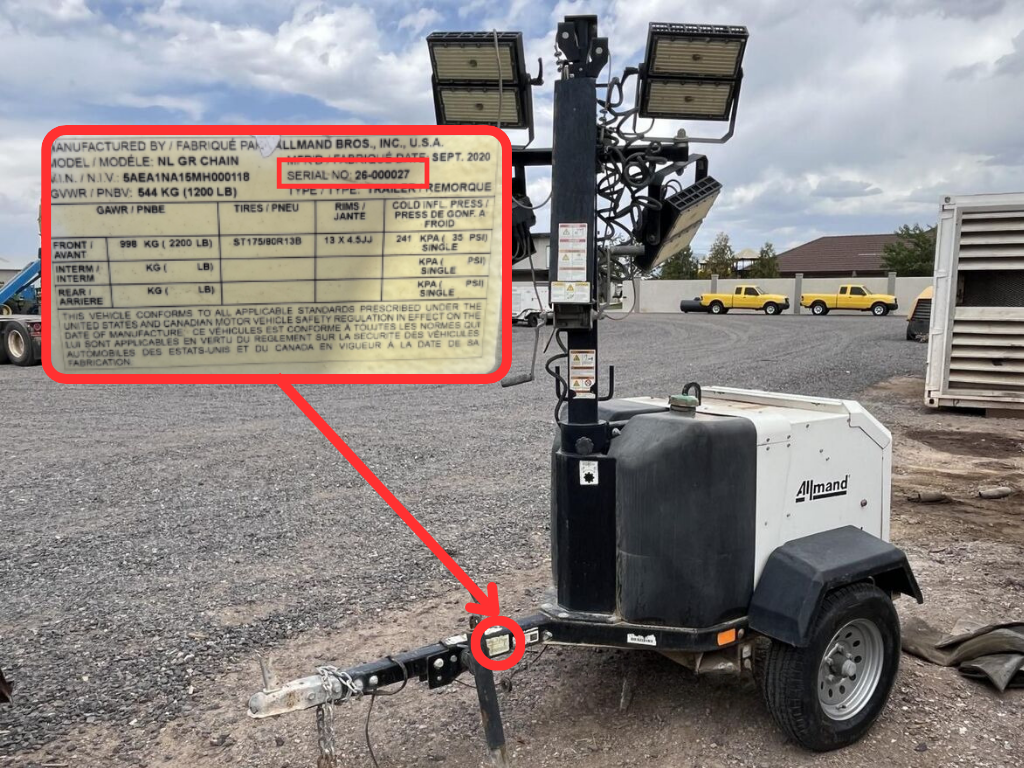
- Portable Generators
- Towable Air Compressors
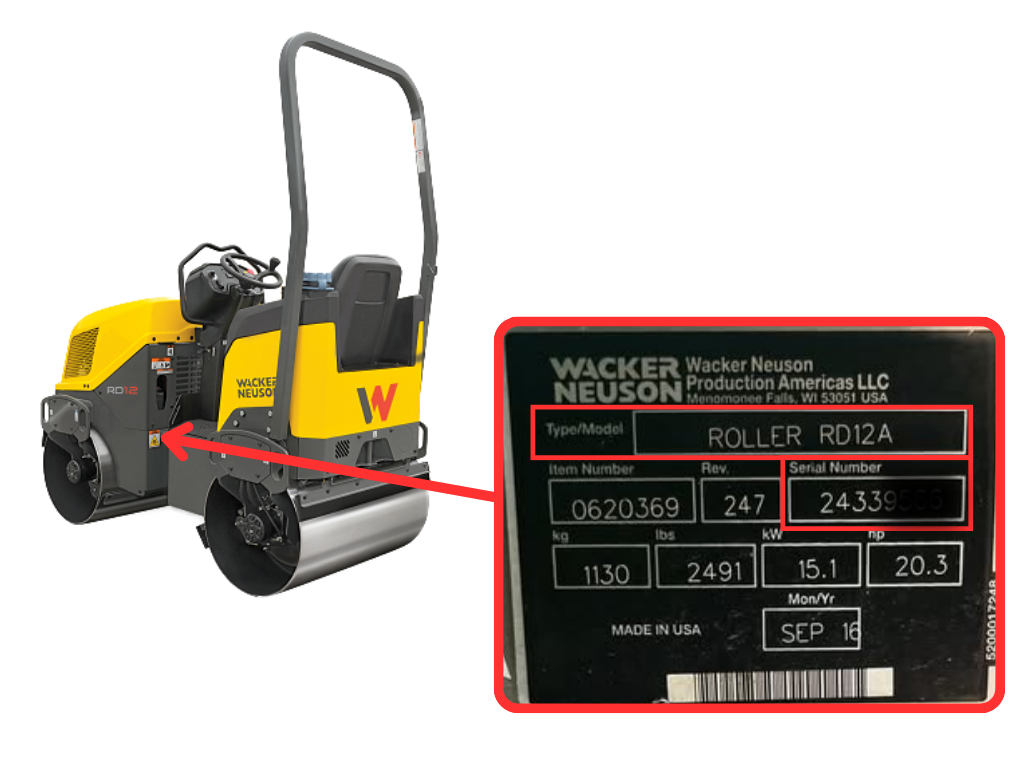
- Compaction Equipment
- Other Construction Equipment
Providing your model and serial number allows our team to identify the correct parts and service requirements quickly and accurately.
Contact our team today for assistance with parts identification, maintenance, and professional equipment repair services by clicking the button below.

Leave a Reply