

3 Common Atlas Copco WEDA 08S Problems and How to Troubleshoot Them

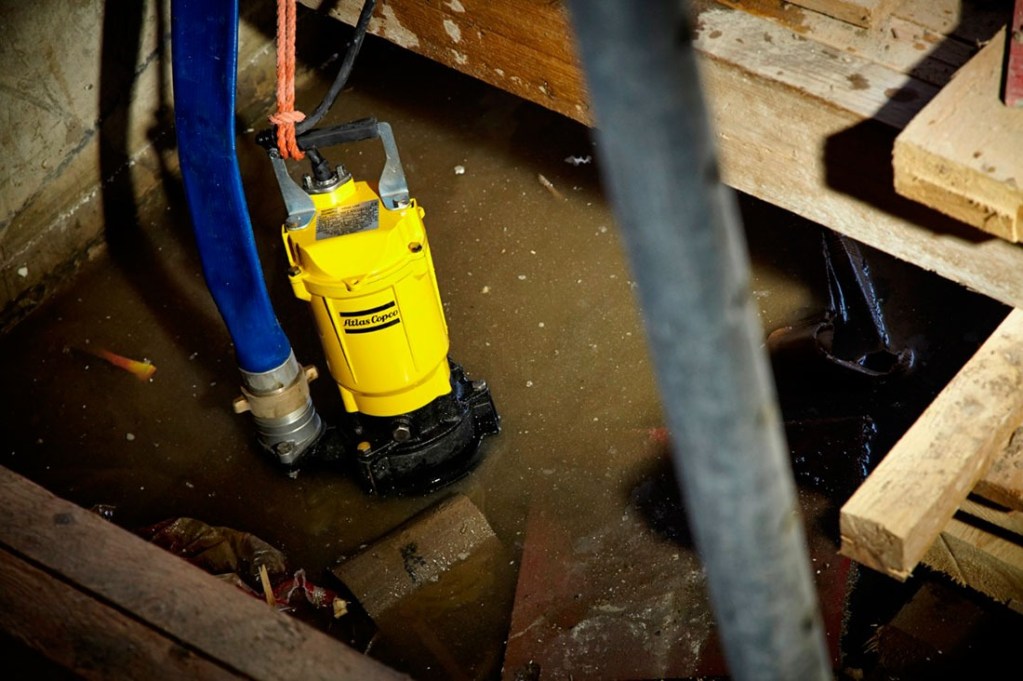
If your Atlas Copco WEDA 08S pump is not working properly, three common problems to check are a pump that will not run, a pump that starts and stops unexpectedly, and a pump that delivers less water than expected. The Atlas Copco instruction manual lists possible causes and recommended actions for each issue, including checking the power supply, cleaning a blocked strainer, and inspecting the impeller.
In this guide, we’ll explain how to recognize these three problems, what may be causing them, and which troubleshooting steps you can take before contacting an equipment service professional.
Table of Contents
- Atlas Copco WEDA 08S Pump Will Not Run
- Atlas Copco WEDA 08S Pump Starts and Stops
- Atlas Copco WEDA 08S Pump Has Low Water Flow
- When to Get Professional Pump Service
1. Atlas Copco WEDA 08S Pump Will Not Run
When your Atlas Copco WEDA 08S pump fails to start, the problem may involve the electrical supply, a damaged power cable, a jammed impeller, or an internal motor issue. The manufacturer’s troubleshooting table identifies five possible causes of a pump that will not run.
Possible Causes
According to the Atlas Copco instruction manual, the pump may not run because of:
- Blown fuse or tripped circuit breaker: The electrical protection may have interrupted the power supply.
- Broken power cable: A damaged cable can prevent the pump from receiving power.
- Power failure: The electrical supply may be unavailable.
- Jammed impeller: Debris or an obstruction may prevent the impeller from rotating.
- Burnt-out stator winding: An internal motor fault may prevent the pump from operating.
How to Troubleshoot a WEDA 08S Pump That Will Not Run
Step 1: Check the fuse or circuit breaker
Check whether the fuse has blown or the circuit breaker has tripped. Follow the appropriate electrical safety procedures before inspecting the supply. If a breaker trips repeatedly, stop and have the electrical fault investigated rather than repeatedly resetting it.
Step 2: Inspect the power cable
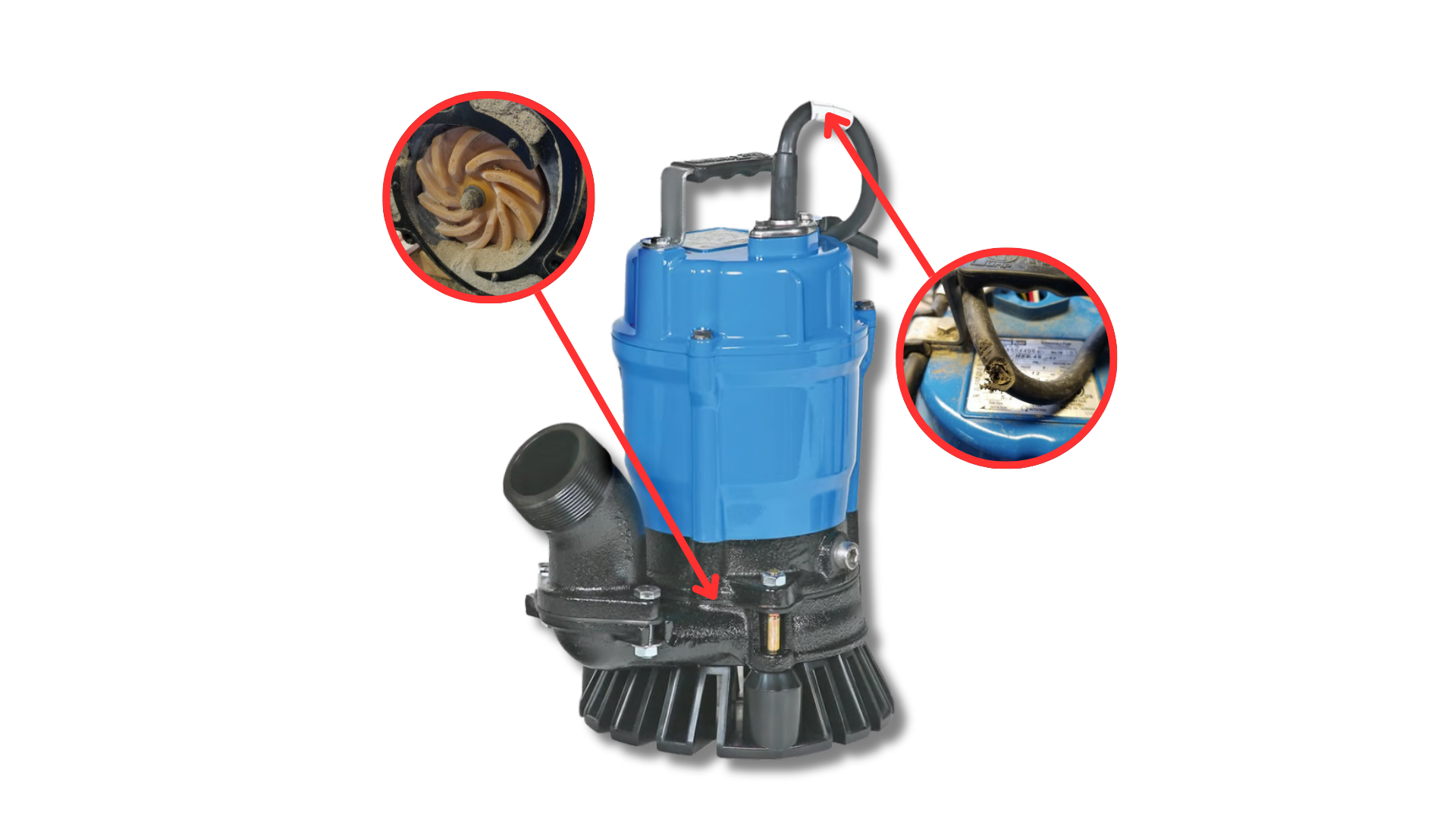
Look for visible cuts, scrapes, or other damage to the cable. The manual instructs users to replace a damaged power cable. Do not operate the pump with a damaged cable or attempt an improvised repair.
Step 3: Confirm the power supply
Check whether power is available and whether the supply matches the pump’s electrical rating shown on its data plate. If the supply appears faulty, contact a qualified electrician.
Step 4: Check for a jammed impeller
A blocked impeller can prevent the pump from operating. Before removing the pump for inspection, disconnect the plug from the electrical outlet. Remove any blockage using the maintenance procedure specified in the manufacturer’s manual.
Step 5: Seek professional repair if the motor may be damaged
If the power supply is correct, the cable is in good condition, and the impeller is not blocked, an internal motor fault may be responsible. The manual lists a burnt-out stator winding as a possible cause and pump replacement as the recommended action for this fault.
Do not attempt internal electrical repairs unless you are appropriately qualified.
2. Atlas Copco WEDA 08S Pump Starts and Stops
Does your WEDA 08S pump start normally but stop after running for a short time? This problem may be related to a blocked strainer, insufficient water level, low voltage when using an extension cable, or water that is too hot.
Identifying the cause is important because repeatedly restarting a pump without addressing the underlying problem may interrupt your dewatering work.

Possible Causes
The Atlas Copco manual identifies four possible causes:
- Blocked strainer: Debris may restrict water from entering the pump.
- Insufficient water level: The pump may not have enough water around it for the intended operation.
- Voltage too low when using an extension cable: The extension cable may be unsuitable for the electrical load.
- Water too hot: The water temperature may exceed the pump’s permitted operating limit.
How to Troubleshoot a WEDA 08S Pump That Keeps Stopping
Step 1: Clean the strainer
Disconnect the pump from the power supply before inspecting or cleaning it. Check the strainer for mud, debris, or other material that could restrict water intake. Clean it according to the manufacturer’s maintenance instructions and reinstall it correctly before operating the pump.
Never operate the pump without its strainer.
Step 2: Check the water level
Make sure the pump is positioned at an adequate water level for the application. If the water level is too low, reposition the pump or wait until sufficient water is available. Always follow the manufacturer’s operating instructions.
Step 3: Check the extension cable
If you are using an extension cable, low voltage may be causing the pump to stop. The manual recommends using a cable with a larger conductor cross-section when voltage is too low.
Use a suitable, properly rated cable and have the electrical supply checked by a qualified professional if you are unsure about the correct cable size.
Step 4: Check the water temperature
The manual specifies a maximum fluid temperature of 35°C for the WEDA 08. If the water is too hot, stop pumping and allow it to cool before resuming operation.
When Should You Stop Troubleshooting?
If the pump continues to start and stop after you have checked the strainer, water level, extension cable, and water temperature, stop using it and arrange a professional inspection.
Repeated shutdowns may indicate a problem that requires further diagnosis.
3. Atlas Copco WEDA 08S Pump Has Low Water Flow
If your Atlas Copco WEDA 08S pump runs but removes water more slowly than expected, the problem may be related to the discharge hose, pumping head, blocked strainer, or a worn impeller.
Low flow can reduce dewatering productivity, especially when you need to remove water quickly from a construction site, tank, or excavation.

Possible Causes
The manufacturer’s troubleshooting table identifies four possible causes of low pumping capacity:
- Squeezed discharge hose: A pinched or compressed hose restricts water flow.
- Excessive total pumping head: The pumping conditions may require the pump to lift water beyond what the application allows.
- Blocked strainer: Debris at the water intake restricts flow.
- Worn impeller: A damaged or severely worn impeller can reduce pumping performance.
How to Troubleshoot Low Water Flow
Step 1: Inspect the discharge hose
Check the hose along its entire length for pinches, kinks, or squeezed sections. Straighten the hose and remove unnecessary bends that could restrict water movement.
Also check that the hose is properly connected to the pump outlet.
Step 2: Review the pumping conditions
The total pumping head may be too high for the required flow rate. Review the vertical lift and the overall discharge arrangement to determine whether the setup is suitable for the pump.
The WEDA 08 specification table lists a maximum head of 15.2 meters. Actual flow depends on the pumping conditions, so the pump may deliver less water as the required head increases.
Step 3: Clean the strainer
Disconnect the pump from power before cleaning the strainer. Remove accumulated debris according to the manufacturer’s instructions, then reinstall the strainer correctly before restarting the pump.
A blocked strainer can restrict the water entering the pump and reduce its capacity.
Step 4: Inspect the impeller for wear
If the hose is clear, the pumping conditions are appropriate, and the strainer is clean, the impeller may be worn or damaged.
The manufacturer’s maintenance instructions describe inspecting the impeller by removing the strainer and pump casing. This work should be performed only by someone with the appropriate skills, following the correct maintenance procedure.
The manual recommends replacing the impeller if it is damaged or severely worn.
If you are not qualified to disassemble the pump, contact a pump service professional instead.
When to Get Professional Pump Service
Some WEDA 08S problems can be addressed through basic checks, such as straightening a squeezed hose or cleaning a blocked strainer. Other problems, particularly damaged electrical components, suspected motor faults, or internal mechanical damage, require professional attention.
Consider arranging service if:
- The pump will not start after the power supply and visible cable condition have been checked.
- The circuit breaker continues to trip.
- The pump repeatedly starts and stops despite correcting the identified operating conditions.
- Water flow remains low after checking the hose, pumping head, and strainer.
- The impeller or other internal components appear damaged.
- You suspect an electrical fault or are unsure how to carry out the required maintenance safely.
Safety reminder: Disconnect the pump from its electrical supply before inspection, cleaning, or maintenance. Follow the manufacturer’s instructions, and leave electrical repairs to appropriately qualified personnel.




Leave a Reply